
Dev Weekly Newsletter
June 26th, 2026
Including a brief video presentation featuring:
Important Announcements of the Week:
➞ PLEASE GIVE A WARM WELCOME TO OUR THREE NEW MEMBERS OF THE LIME QC TEAM!
We are thrilled to welcome three talented new graphic designers to Simple’s Web Development Department this week! Please take a moment to say hello and introduce yourself to Janine P. (janinep@simple.biz), Grey G. (greyg@simple.biz), and Josh Y. (joshy@simple.biz). They are joining the Lime QC Checkers team to ensure your builds look flawless before Final Review. They’ll also be contributing to this newsletter soon, so keep an eye out for their tips and SOTW choices!
*** If you need clarification or assistance with any of the above announcements, feel free to reach out to your Dev Leads. ***
Your Weekly Tip From a Dev Lead

Brandon
Using Adobe Photoshop to Remove AI Branding from Your Generated Images
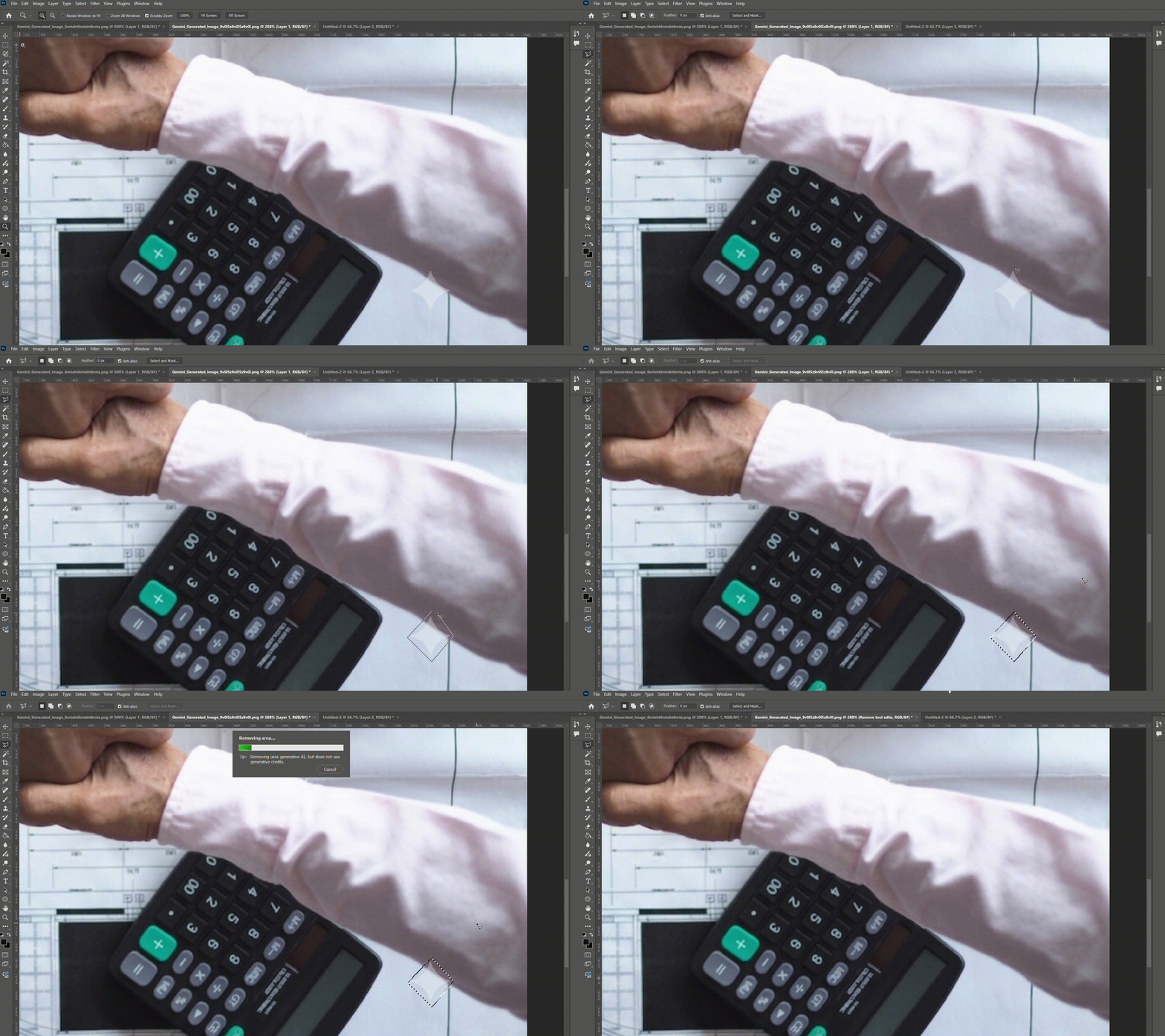
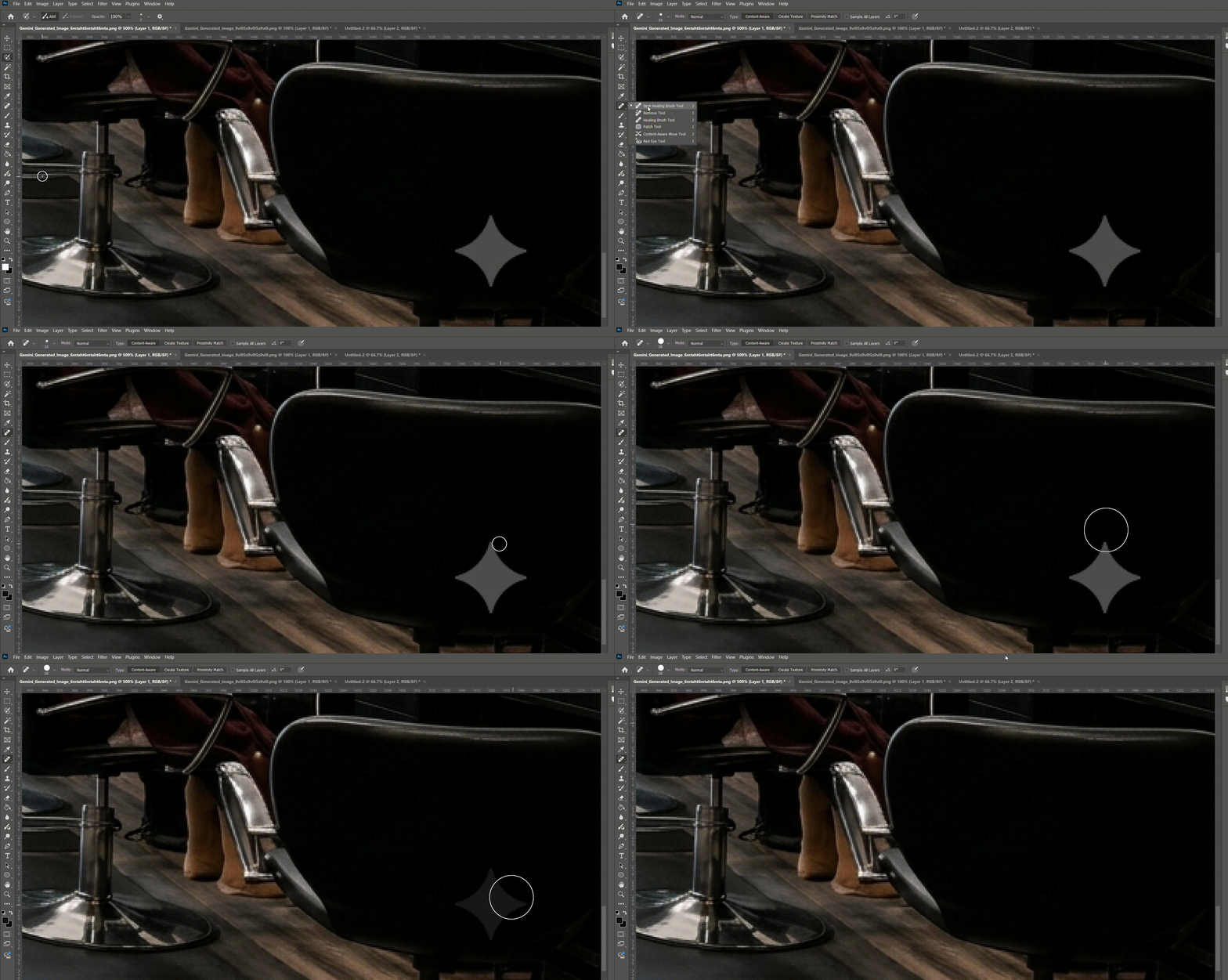
To precisely and cleanly remove an AI logo in Adobe Photoshop, follow these steps:
- SELECT A TOOL: Choose either the Remove Tool (best for complex backgrounds) or the Spot Healing Brush set to "Content-Aware" mode (best for simple, uniform areas).
- ADJUST BRUSH SIZE: Set your brush to be slightly larger than the logo.
- APPLY & BLEND: Paint directly over the graphic and release your mouse. Photoshop will automatically blend the area with the surrounding pixels for a seamless finish.
1. Spot Healing Brush Removal
2. Remove Tool